Ore changelog

Ore 6.5 — Industry vocabularies, and notes you can take anywhere

Ore 6.5 — Industry vocabularies, and notes you can take anywhere

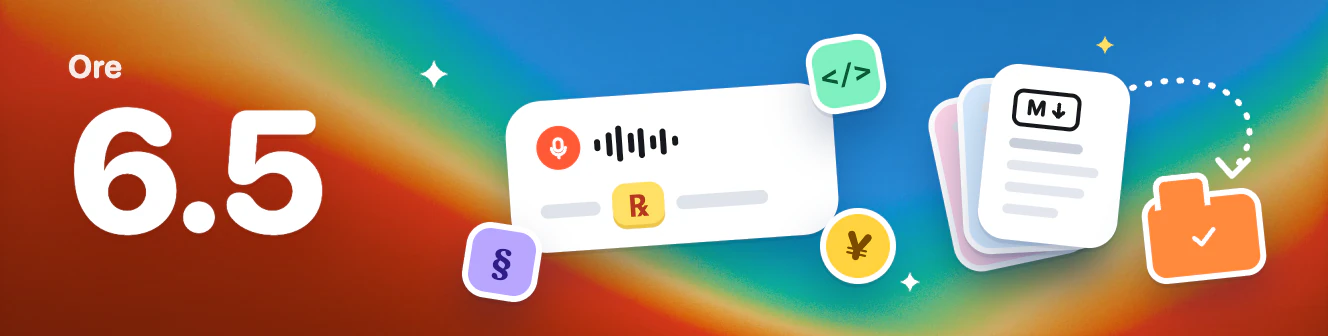
Ore 6.5 understands the vocabulary of your field, and lets you take all your notes with you.

🎯 Industry vocabularies

  • Recognize the terms you use: Choose your field in Settings → Speech → Recognition Scene. Ore loads a matching vocabulary, so drug names, legal terms, and library names come out right the first time.
  • More fields over time: AI coding, foreign trade, dentistry, medicine, law, finance, and Amazon selling are available now. New fields arrive without an app update.

📤 Export notes

  • Your notes go where you go: Export every note at once from Settings → AI Notes. Each note becomes a Markdown file named after its first line.
  • Opens anywhere: Markdown works with Obsidian, Notion, and Typora, so switching apps or keeping a backup is simple.

📰 What's New

  • See what changed after an update: The first time you open Ore after updating, it shows what's new in this version. You can also browse earlier versions.

🛠 Fixes and improvements

  • Fixed an issue where structuring a whole note with AI could close the app.
  • A cleaner usage card in Account.

Ore 6.0 — Open parallel search in your browser, and faster dictation

Ore 6.0 lets you open parallel search right in your browser, and makes dictation faster and steadier on slow networks.

🔍 Parallel Search

  • Open in your browser: A new Open With setting lets you choose Ore Window or Default Browser. With Default Browser, results open in your own browser, with your sign-ins and extensions.
  • Separate sources for each mode: Each open mode keeps its own enabled sources and order, so switching doesn't affect the other.
  • Browser sources: Google, Baidu, Sogou, Yandex, DuckDuckGo, Bilibili, Zhihu, RedNote and Douyin.

🎙 Dictation

  • Faster results: Ore uploads about 90% less data while you dictate, so results come back quickly even on a slow network.
  • No lost results on a shaky network: If the connection drops during dictation, Ore fetches the result and inserts it as usual.
  • More reliable mute while recording: Ore mutes as soon as recording starts and restores your previous volume when it ends. This now works on Windows too.
  • Steadier pasting: Pasting into text fields in some apps no longer drops characters.

🔐 Account

  • Stay signed in: Ore no longer asks you to sign in again after your computer wakes from sleep or the network briefly drops.

⬆️ Updates

  • Faster update downloads: Starting with this version, future updates download only what has changed, and progress shows up right after you start the download.

🔋 Lighter on Resources

  • Pauses background work when idle: When your screen is locked, your computer sleeps or Ore sits unused for a while, it pauses background preparation to save battery and data.

✨ Interface and Details

  • Clearer hints: Shortcut hints show key names, and English text is shorter.

Ore 5.5 — Never lose a dictation, faster restarts after updating, and undo and quick copy in Notes

Ore 5.5 makes sure your dictation is never lost, restarts faster and more safely after an update, and adds undo and redo to Notes along with quicker copy and export.

🎙 Dictation

  • Never lose a dictation: If the text can't be inserted, Ore copies the transcript to the clipboard and shows "Transcript copied", so you can paste it right away. On macOS, this also happens when the cursor isn't in a text field.

⬆️ Updates

  • Faster restart to update: On macOS, the update is prepared in the background as soon as it finishes downloading, so Restart to Update installs it right away. On Windows, the installer no longer appears and Ore reopens when it's done.
  • Quitting no longer hangs: Ore closes its background processes in parallel when quitting and force-stops any that take too long.
  • Saves before restarting: Your settings, history, notes and the note you're editing are saved before Ore restarts to update. If a draft can't be saved, Ore doesn't restart and lets you know.
  • See what's new: After an update, the notification shows "Updated to Ore 5.5" with a one-line summary of the release.

📝 Notes and History

  • Undo and redo: New Undo and Redo buttons sit to the right of the attachment button in Notes. They're unavailable when there's nothing to undo or while AI is working.
  • Copy and export in one click: In the Notes and History toolbars, Export now has a text label, and Copy has moved out of the More menu to sit beside it. Copy as Markdown stays in the More menu.
  • Easier to find New Note: The New button now sits in the Notes sidebar header, to the left of the collapse button, matching New chat in Ore Agent.
  • Easier to tap All notes: The folder switcher has a larger click area, as tall as the collapse button.

✨ Interface and polish

  • Consistent sidebars: Ore Agent, Notes and History share the same collapse icon, and Ore Agent's collapse button now sits to the right of New chat.
  • Cleaner menus: Context menus are wider, and context and dropdown menus have lighter shadows.

Ore 5.2 — Redesigned sign-in and onboarding, bring your own model to Agent, and clearer plans

This update fixes two issues:

  • Windows: Pressing → while recording to start a parallel search did not open the search window. It now opens as expected.
  • macOS: Using an arrow key while recording to send to Notes, Agent, Translate or Search could still pass the key to the app you were typing in. These keys are now fully intercepted.

Ore 5.2 includes everything in 5.0: it redesigns sign-in and first-run onboarding, lets Ore Agent use your own model and search service, moves plans to dictation time plus Agent credits with Alipay and WeChat Pay support, and makes recording more reliable.

👋 Sign-in and onboarding

  • Sign in from the main window: Signing in, signing up and onboarding now happen in the main window, sized to match the design, and you land straight in the app when you finish.
  • New four-step onboarding: Welcome and permissions, your speak key, languages, and the quick actions you can use while recording — settings on the left, a live demo on the right. Upgrading users will see it once to set up the new shortcuts.
  • Simpler sign-up: No more "confirm password", plus the new Ore mark.

🤖 Ore Agent

  • Bring your own model: In Settings › Ore Agent, switch to any OpenAI-compatible endpoint. Requests go straight from your Mac or PC, never through Ore's servers, and don't use your Ore quota. Your API key is encrypted on this device, and you can adjust the reasoning level from the input box.
  • Choose your search service: Add a Tavily, Brave or Exa API key so Agent searches the web with your own service.
  • Separate personalization: With your own model, memory and "About me" stay on this device and never mix with your Ore cloud personalization.
  • Settings in one place: Model source, web search and personalization now live together in Settings › Ore Agent.

💳 Plans and usage

  • Clear usage: Your account page shows this month's dictation time and Agent credits. Each Agent conversation uses credits based on what it actually consumes, and credits reset on the 1st of each month.
  • Updated allowances: Free includes 30 minutes of dictation and 100 Agent credits a month; Pro includes 10 hours and 1,000 Agent credits a month at the same price.
  • Pay with Alipay or WeChat Pay: Buy Pro by the month or the year at the same price as a card subscription. You'll get a reminder on your account page and by email 7 days before it ends, and renewing early adds the new time after your current end date.

🎙 Recording and reliability

  • Recording stops promptly: Recording ends as soon as you release the speak key, and Ore switches back to the system default microphone when you change or unplug one.
  • No stray arrow keys: When you use an arrow key while recording to send to Notes, Agent, Translate or Search, the key no longer reaches the app you're typing in.
  • Respects system mute: If your Mac was already muted when recording started, it stays muted afterwards.

✨ Interface and polish

  • Faster page switching: Home, Notes, History and other pages load ahead of time and show a loading state while switching.
  • Release notes after updating: After an update installs, Ore opens the notes for the new version.
  • Quick Notes: Delete with a single click (restore from Trash any time), and copying now shows "Copied".
  • Cleaner settings: Setting descriptions are shorter, translation languages show a single name, and list-page search boxes line up with the buttons beside them.
  • Faster downloads: An optimized CDN delivers installers and updates from a location closer to you.
Ore 5.1 — Arrow keys no longer leak while recording, plus everything in 5.0

Fixed an urgent bug: on macOS, using an arrow key while recording to send to Notes, Agent, Translate or Search could still pass the key to the app you were typing in. These keys are now fully intercepted.

Ore 5.1 includes everything in 5.0: it redesigns sign-in and first-run onboarding, lets Ore Agent use your own model and search service, moves plans to dictation time plus Agent credits with Alipay and WeChat Pay support, and makes recording more reliable.

👋 Sign-in and onboarding

  • Sign in from the main window: Signing in, signing up and onboarding now happen in the main window, sized to match the design, and you land straight in the app when you finish.
  • New four-step onboarding: Welcome and permissions, your speak key, languages, and the quick actions you can use while recording — settings on the left, a live demo on the right. Upgrading users will see it once to set up the new shortcuts.
  • Simpler sign-up: No more "confirm password", plus the new Ore mark.

🤖 Ore Agent

  • Bring your own model: In Settings › Ore Agent, switch to any OpenAI-compatible endpoint. Requests go straight from your Mac or PC, never through Ore's servers, and don't use your Ore quota. Your API key is encrypted on this device, and you can adjust the reasoning level from the input box.
  • Choose your search service: Add a Tavily, Brave or Exa API key so Agent searches the web with your own service.
  • Separate personalization: With your own model, memory and "About me" stay on this device and never mix with your Ore cloud personalization.
  • Settings in one place: Model source, web search and personalization now live together in Settings › Ore Agent.

💳 Plans and usage

  • Clear usage: Your account page shows this month's dictation time and Agent credits. Each Agent conversation uses credits based on what it actually consumes, and credits reset on the 1st of each month.
  • Updated allowances: Free includes 30 minutes of dictation and 100 Agent credits a month; Pro includes 10 hours and 1,000 Agent credits a month at the same price.
  • Pay with Alipay or WeChat Pay: Buy Pro by the month or the year at the same price as a card subscription. You'll get a reminder on your account page and by email 7 days before it ends, and renewing early adds the new time after your current end date.

🎙 Recording and reliability

  • Recording stops promptly: Recording ends as soon as you release the speak key, and Ore switches back to the system default microphone when you change or unplug one.
  • No stray arrow keys: When you use an arrow key while recording to send to Notes, Agent, Translate or Search, the key no longer reaches the app you're typing in.
  • Respects system mute: If your Mac was already muted when recording started, it stays muted afterwards.

✨ Interface and polish

  • Faster page switching: Home, Notes, History and other pages load ahead of time and show a loading state while switching.
  • Release notes after updating: After an update installs, Ore opens the notes for the new version.
  • Quick Notes: Delete with a single click (restore from Trash any time), and copying now shows "Copied".
  • Cleaner settings: Setting descriptions are shorter, translation languages show a single name, and list-page search boxes line up with the buttons beside them.
  • Faster downloads: An optimized CDN delivers installers and updates from a location closer to you.

Ore 5.0 — Redesigned sign-in and onboarding, bring your own model to Agent, and clearer plans

Ore 5.0 redesigns sign-in and first-run onboarding, lets Ore Agent use your own model and search service, moves plans to dictation time plus Agent credits with Alipay and WeChat Pay support, and makes recording more reliable.

👋 Sign-in and onboarding

  • Sign in from the main window: Signing in, signing up and onboarding now happen in the main window, sized to match the design, and you land straight in the app when you finish.
  • New four-step onboarding: Welcome and permissions, your speak key, languages, and the quick actions you can use while recording — settings on the left, a live demo on the right. Upgrading users will see it once to set up the new shortcuts.
  • Simpler sign-up: No more "confirm password", plus the new Ore mark.

🤖 Ore Agent

  • Bring your own model: In Settings › Ore Agent, switch to any OpenAI-compatible endpoint. Requests go straight from your Mac or PC, never through Ore's servers, and don't use your Ore quota. Your API key is encrypted on this device, and you can adjust the reasoning level from the input box.
  • Choose your search service: Add a Tavily, Brave or Exa API key so Agent searches the web with your own service.
  • Separate personalization: With your own model, memory and "About me" stay on this device and never mix with your Ore cloud personalization.
  • Settings in one place: Model source, web search and personalization now live together in Settings › Ore Agent.

💳 Plans and usage

  • Clear usage: Your account page shows this month's dictation time and Agent credits. Each Agent conversation uses credits based on what it actually consumes, and credits reset on the 1st of each month.
  • Updated allowances: Free includes 30 minutes of dictation and 100 Agent credits a month; Pro includes 10 hours and 1,000 Agent credits a month at the same price.
  • Pay with Alipay or WeChat Pay: Buy Pro by the month or the year at the same price as a card subscription. You'll get a reminder on your account page and by email 7 days before it ends, and renewing early adds the new time after your current end date.

🎙 Recording and reliability

  • Recording stops promptly: Recording ends as soon as you release the speak key, and Ore switches back to the system default microphone when you change or unplug one.
  • No stray arrow keys: When you use an arrow key while recording to send to Notes, Agent, Translate or Search, the key no longer reaches the app you're typing in.
  • Respects system mute: If your Mac was already muted when recording started, it stays muted afterwards.

✨ Interface and polish

  • Faster page switching: Home, Notes, History and other pages load ahead of time and show a loading state while switching.
  • Release notes after updating: After an update installs, Ore opens the notes for the new version.
  • Quick Notes: Delete with a single click (restore from Trash any time), and copying now shows "Copied".
  • Cleaner settings: Setting descriptions are shorter, translation languages show a single name, and list-page search boxes line up with the buttons beside them.
  • Faster downloads: An optimized CDN delivers installers and updates from a location closer to you.

Ore 4.5.0 — Voice translation, 25 recognition languages, and a standalone Agent window

This update brings one-key voice translation while recording, 25 recognition languages and a new Speech settings page. Ore Agent moves to a standalone window and can search the web on its own, the dictation floating bar switches to icons and explains clearly when you run out of quota, Quick Notes supports dark mode, and onboarding has been redesigned.

🌐 Voice translation

  • Press ↓ to translate while recording: Speak in any language and a natural translation in your target language is inserted when you let go — not a word-for-word rendering. Self-corrections keep only what you meant, and product names, code and links stay as they are.
  • Choose your target language: Pick from 22 major languages, including English, Japanese, Korean, Spanish, French, German and Traditional Chinese, and switch any time in Settings.

🎙 Recognition languages and settings

  • 25 recognition languages: Besides mixed Chinese and English, Ore now recognizes Japanese, Korean, French, German, Spanish, Russian, Thai, Vietnamese and more. Pick the matching language when you speak one of them for accurate results.
  • New Speech settings page: Recognition language, translation language and microphone settings now live in one place, and the recognition language is no longer only changeable during setup.

🪄 Dictation floating bar

  • Icons for actions: The quick actions on the right are now icons — ← Note / ↑ Agent / ↓ Translate / → Search — with lighter arrow-key hints, so each action is clear at a glance.
  • Clear quota messages: When your speech recognition or AI cleanup quota runs out, a single recording reaches the 15-minute limit, or a recording crosses midnight, the floating bar says exactly why instead of a generic "AI cleanup failed".

🤖 Ore Agent

  • Standalone Agent window: Press ↑ while recording and the conversation opens in its own window that you can move, resize, scroll through for the full reply, pin on top or collapse, and keep chatting from the input box; it follows the main window's light or dark theme.
  • Talk to the Agent window directly: While the Agent window is in front, hold your dictation shortcut and speak — it goes straight to the Agent. The separate "hold to talk" shortcut is gone.
  • Web search: Ore Agent can search and read web pages using your own computer's network, with no extra setup.

📝 Quick Notes

  • Dark mode: The Quick Notes window on the right side of the screen now follows the main window's light or dark theme.

👋 Onboarding

  • All-new three-step setup: Permissions and dictation shortcut, recognition and translation languages, then in-recording actions — one screen per step with buttons that stay in place. Users upgrading to this version will see it once too, so they can set up shortcuts for the new features.

Ore 4.0.0 — Faster dictation, an all-new floating bar, and a more capable Ore Agent

This update brings faster and more reliable recording and dictation, an all-new compact single-line floating bar, direct local file and command actions for Ore Agent, and a streamlined text selection menu in Notes along with cleaner interface prompts.

🎙 Recording and dictation

  • Instant recording without missed words: Recording starts the moment you press the shortcut without waiting for the chime to finish or system mute to take effect, so your first word is never cut off.
  • Instant start with external mics: Starts in a snap even when using an external microphone; the microphone list in Settings opens instantly without getting stuck or only showing "System Default".
  • More reliable audio startup: Recording starts reliably even on computers where system audio services occasionally slow down, with no more "recording startup timed out" alerts.
  • Immediate stop response: Clicking stop during recording immediately turns off the microphone and plays the end chime, without the previous one- to two-second delay.
  • Faster results: Results appear faster after releasing the shortcut by removing the step that read text around the cursor, which could stall transcription for over ten seconds in some apps; the "Use cursor context" toggle in Settings has been removed accordingly.
  • Accurate cross-app input: If you start dictating in App A and switch to App B before stopping, text is entered into the active App B rather than pulling App A back to the foreground.
  • Accurate microphone testing: "Test microphone" in Settings now uses your selected microphone, with the volume display matching actual dictation.
  • More accurate dictionary: Removed the "Profession Dictionary" setting so everyone uses a unified general dictionary; recognition for common terms like Claude Code and GitHub is more accurate, and everyday words are no longer swapped for industry jargon.

🪄 Dictation floating bar

  • Compact single-line design: The all-new compact single-line floating bar is smaller than the old large card and slightly larger than the old small capsule, displaying waveforms, shortcut actions (← Note / ↑ Agent / → Search), and Esc in a single row; text is centered during transcription and cleanup. The "Small / Large" option in appearance settings has been removed.

🤖 Ore Agent

  • Computer files and command actions: Ore Agent can directly view and organize files on your computer and execute commands (for example, "check my Downloads folder").
  • Unified 3D bear persona: A brand-new 3D bear persona works across both light and dark modes; the "Xingzhou" and "Zhiwei" personas have been removed and unified into the bear.
  • Updated chat list title: The chat list title has been changed to "Ore Agent Beta".

📝 Notes

  • More compact floating menu: The floating menu when selecting text is more compact, placing AI formatting and voice rewriting first, moving headings, lists, and quotes into a "Turn into" menu, and grouping table actions under "More".

✨ Interface and notifications

  • Dark mode button clarity: Primary buttons like "Manage subscription" are clearly visible in dark mode.
  • Update alerts and download progress: The sign-in page no longer pops up update alerts, notifying you only after signing in; downloading updates now shows real-time progress percentages and a progress bar.
  • Lighter loading notice: The "Loading" state on the Account page is now a subtle notice in the bottom-right corner that disappears automatically once loading finishes.

Ore 3.0.0 — Simpler dictation, a chat history sidebar, and a fresh look

This update brings simpler, faster voice dictation, a new chat history sidebar, refreshed visuals and icons, and much smoother switching between tasks along with better stability.

🎙 Simpler, faster dictation

  • Tap to record: Dictation now starts with a tap and finishes with another tap. The extra in-between steps are gone, so you can focus on getting words down without distractions.
  • More reliable startup: Recording responds faster when it starts, fixing occasional slow starts in some situations. It's ready every time you call it up.

💬 Better AI chat and assistant

  • New chat history sidebar: The chat window now has a persistent list of past conversations that you can collapse or expand at any time, making it easy to look back and switch between conversations.
  • Lighter message reading:
    • Message cards use a more compact, flatter layout with less unnecessary whitespace.
    • Long-form text and code block highlighting have been refined, so technical content and long answers are more pleasant to read.
  • Centered on wide screens: When the window is stretched or on a large display, the chat area keeps a comfortable centered width so your eyes don't have to travel too far.
  • Clearer error messages: Messages shown when an AI response fails have been rewritten in plain language instead of cryptic technical error codes.

✨ A fresh look

  • New brand and system icons: The full set of app icons has been updated, including sharp vector icons for the macOS Dock, the system tray, and the Windows taskbar.
  • More modern typography and spacing:
    • Font sizes, weights, and line spacing are standardized across the app, giving text a clearer hierarchy and a more refined feel.
    • Color transitions in light and dark mode have been reworked for softer visual layers.
  • Minimal main sidebar: The navigation bar has been redesigned to be more compact with clearer icons, giving you a cleaner workspace.
  • Consistent menus and interactions: Context menus, dropdowns, and popovers now share the same shadows, corner radii, and animations, so everything feels consistent.

⚡ Smoother pages and better performance

  • Seamless page switching: Moving between Home, Notes, History, and Settings is instant. The note you're editing, your cursor position, and your scroll position are all kept, with no more page reloads or flicker.
  • Smarter background power use: When the Notes page or an inactive view is in the background, Ore pauses non-essential rendering, noticeably reducing memory use and power consumption.
  • Faster cold start: Resources load in a better order when the app first opens, so it starts noticeably faster.

⚙ Reorganized Settings and account

  • More focused navigation: Account and subscription management now live in Settings, keeping the main sidebar focused.
  • Clearer categories: Settings has new dedicated "AI Notes" and "Storage" sections, making it easier to find and adjust options.
  • Easy nickname changes: Change your nickname anytime with the "Edit" button in account settings.
  • Better personal dictionary layout: Fixed alignment issues in the personal dictionary list at different resolutions.

🛠 Details and fixes

  • Sign-in language switch fixed: Fixed the language switch on the sign-in screen occasionally not responding to clicks, and turned it into a clearer dropdown menu.
  • Tighter copy throughout: Following a direct, concise style, Chinese and English interface text has been rewritten throughout, and redundant explanations in empty lists have been removed for a cleaner look.
  • New multilingual welcome note: First-time users get a clearer, more natural getting-started guide.

Ore 2.0.3 — macOS installer dependency fix

Fixes

  • Fixed the macOS installer missing dependencies, which caused errors on launch.
  • Strengthened installer dependency checks so the same kind of missing-package problem can't reach the update channel again.

Ore 2.0.2 — Stability and performance fixes (withdrawn)

The macOS installer for this version was missing dependencies, and the update has been withdrawn. Please use 2.0.3 or later.

Fixes and improvements

  • Fixed nothing happening on macOS after clicking "Restart to update".
  • Improved startup loading and data sync between windows, reducing duplicate loading and memory use.
  • Improved diffing of long text so large passages no longer make the UI stutter.
  • When saving a note fails, Ore now retries automatically and lets you know, keeping the unsaved content; fixed a case where switching editor state could overwrite new content.
  • Improved encoding and stop handling for long recordings, reducing temporary memory use and waiting time.
  • Fixed background task cleanup after a voice connection is canceled, stop timeouts, and audio ordering issues.
  • Improved recording file management and the note search index, reducing main-thread blocking.
  • Fixed drag performance degrading when a parallel search screenshot fails.

Ore 2.0.1 — Compact dictation indicator

What's new

  • Added a compact dictation indicator: while recording it shows as a single-line mini capsule. Switch between large and compact in Settings → Appearance → Dictation indicator. Compact is the default.
  • Fixed the main window reopening unexpectedly on macOS while recording after it had been closed or hidden.

Ore 2.0.0 — Agent upgrade and attachments

What's new

  • Upgraded Ore Agent's multi-turn conversations, tool execution, and sub-agent collaboration. Tool actions now run directly.
  • The input box can send text, code, Markdown, and CSV attachments; you can see file names and remove attachments.
  • Faster voice capture startup with less waiting between the start sound and system muting, and fixed the start sound playing twice and volume not being restored.
  • Fixed being signed out unexpectedly after a temporary service outage or rate limiting.
  • Agent errors now appear as a notice in the bottom-right corner that you can dismiss and retry.
  • The notes scrollbar moved to the right edge of the page, and "History" is renamed "Transcription history".
  • Removed remote telemetry from the client; local debug logs are kept.

Ore 1.0.12 — Accounts and upgraded notes

What's new

  • Added accounts: reCAPTCHA, human verification, sign-in with device replacement, and an Account view.
  • Added a version policy layer: minimum supported version, required-upgrade prompts, and a manual download fallback.
  • Added native drag-and-drop insertion for quick notes on macOS and Windows.
  • Upgraded notes: inline polishing, structure cleanup, export, and a better editing experience.
  • Providers can be enabled or disabled, model selection is improved, and the UI is available in Chinese and English.
  • Fixed stability issues such as out-of-order streaming insertion.

Ore 1.0.11 — Pausable model downloads and new update notices

What's new

  • Added a transition animation after setup finishes, so entering the main window feels smoother.
  • Added a step to accept the Terms of Service and Privacy Policy.
  • Model downloads can now be paused and resumed.
  • The correction provider list now shows brand icons, making providers easier to recognize.
  • Update notifications now appear as a floating card in the bottom-right corner instead of covering the work area.
  • Fixed "Recent input" reappearing after switching pages when it had been turned off.

Ore 1.0.9 — First-launch permissions and model hot reload

What's new

  • Smoother first-launch permissions: setting up Accessibility the first time now triggers the system prompt directly, and the runtime restarts automatically after you grant it so hotkeys work right away.
  • Models can be hot-loaded after downloading or importing, so you can start transcribing without restarting the app.
  • Improved local state persistence and tray refresh, reducing problems with saving settings and syncing state.
  • Improved local packaging and release configuration, separating local test builds from official releases, and fixed a signing race when building the dmg.

Ore 1.0.8 — Cross-platform consistency and hotkey recording

What's new

  • Added a cross-platform layer that unifies how macOS and Windows differ in hotkey options, permission prompts, and UI copy.
  • Improved hotkey recording: recording a bare modifier key is now reliable, and settings changes save immediately.
  • Improved state handling for cloud correction and ASR verification: switching engines no longer loses verification results, and messages are clearer.
  • Fixed the tray menu getting out of sync with the session state, and closing the window on Windows now minimizes to the tray.